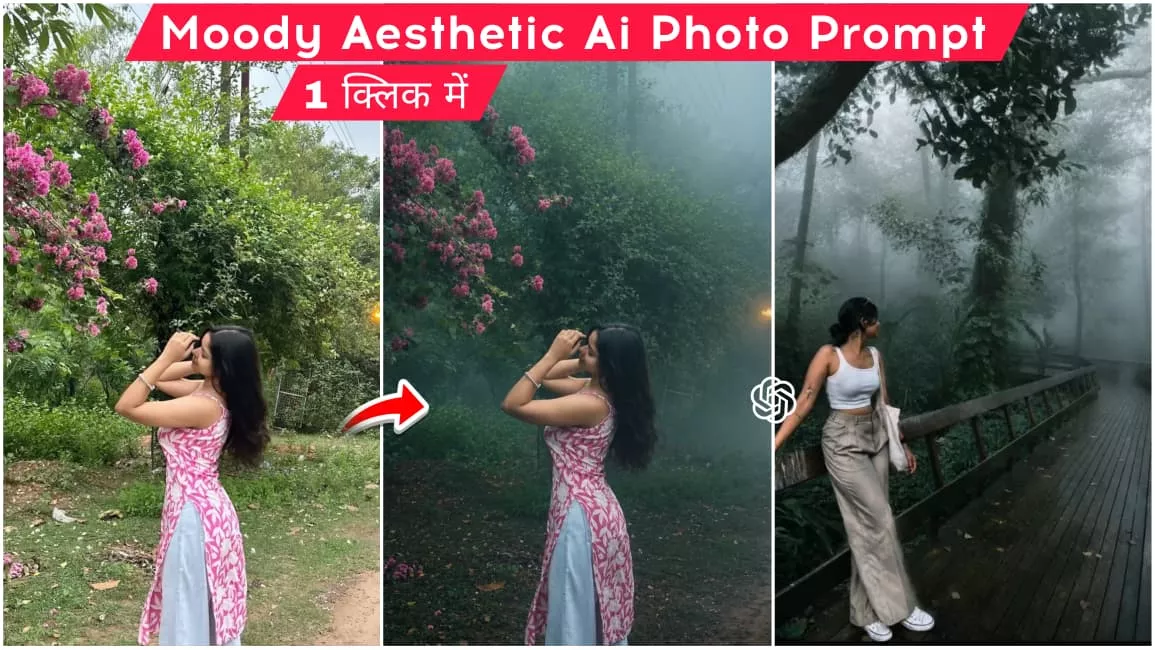
Moody Aesthetic Ai photo Editing Prompt – Friends, a new photo editing trend is currently circulating on social media where people are applying a “moody smoke” color-grading effect to their ordinary photos using AI. If you also want to try this trending style and apply that aesthetic smoky effect to your images, it is incredibly easy to do. AI has made tasks much simpler—especially in the realm of photo editing—allowing you to transform your imagination into actual images using just a text prompt. To help you create this viral aesthetic look, I am sharing specific AI prompts that will enable you to give your photos that moody, aesthetic vibe. Read on, and I’ll explain the process in detail.
Details Of Moody Aesthetic Ai photo Editing Prompt
Friends, in this photo, you will see the use of a natural, aesthetic style. It transforms a standard photo by adding a smoky effect alongside a realistic and aesthetic tone. The atmosphere shifts to resemble the monsoon season, incorporating aesthetic details and a gentle, smoky haze. Importantly, it does not alter your pose or modify your clothing; instead, it simply enhances the background and the photo’s color grading. With this editing technique, you can transform an ordinary photo into a viral-worthy image with an aesthetic, smoky look.
What You Need To Do This Editing?
To create this viral aesthetic photo edit, you will need a few things. First, you need an aesthetic, real-life photo of yourself—specifically a full-body shot set against a natural, lush green background—because the AI will utilize this background to apply the aesthetic details. Once you have the photo, copy the image prompt provided in this article; we will use this prompt with an AI tool to generate your aesthetic image. You can use AI tools like ChatGPT or Google Gemini for this, as they allow you to generate images for free.
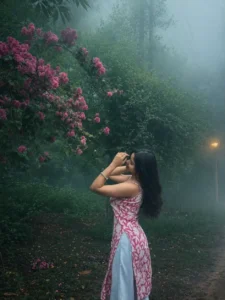
Transform this image into a breathtaking ultra-realistic foggy forest masterpiece. Add dense natural white fog covering the entire environment, creating a mysterious and cinematic atmosphere. Apply rich forest-inspired color grading with deep emerald green, dark teal, moss green, and earthy brown tones. Enhance the trees, foliage, and background elements to resemble a lush enchanted forest hidden in the mist. Introduce soft volumetric light rays subtly penetrating through the fog, creating depth and realism.Increase overall image quality to ultra-high-definition 4K resolution with razor-sharp details, HDR enhancement, realistic textures, balanced contrast, and natural color harmony. Improve shadows, highlights, and dynamic range while maintaining a realistic appearance. Add a moody woodland aesthetic, dreamy fog layers, atmospheric perspective, and professional cinematic photography grading. The final result should look like a premium DSLR forest photograph captured during a cold misty morning, with ultra-realistic details, immersive depth, soft natural lighting, and stunning visual quality.Style: Cinematic Forest Photography, Moody Nature, Dense Fog Weather, Volumetric Lighting, HDR, Ultra Realistic, Professional Color Grading, 4K Quality, DSLR Shot, Atmospheric Depth, Photorealistic.
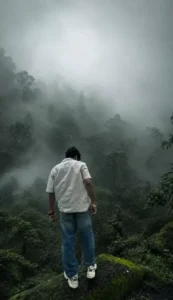
Cinematic moody forest color grading, muted colors, soft matte finish, deep shadows, low saturation, foggy atmosphere, cool green and grey tones, faded blacks, high contrast subject, subtle film grain, dreamy depth, soft natural light, desaturated red hoodie, teal and olive color palette, professional reel look, aesthetic Instagram cinematic edit, ultra realistic, sharp subject, background haze, 4K quality.
How To Create This Aesthetic Image?
The article provides various image prompts; let me explain how you can use them to create images. You will need to use ChatGPT for this, so first, copy the image prompt from the article, then either install the ChatGPT app from the Play Store or visit the website. Once opened, paste the copied prompt and add the image you wish to edit. Use the plus icon to add your reference image, click the generate button, and wait a few moments; your aesthetic, moody image will be ready.
Conclusion
So friends, this is how you can transform an ordinary photo into one with an aesthetic, moody, smoky, and natural look. I have outlined all the steps to edit a photo in this viral aesthetic style, so you can follow them to complete your own edit. If you are looking for similar unique and trending image prompts, we provide them daily; you can visit this website to copy a wide range of image prompts—all for free.