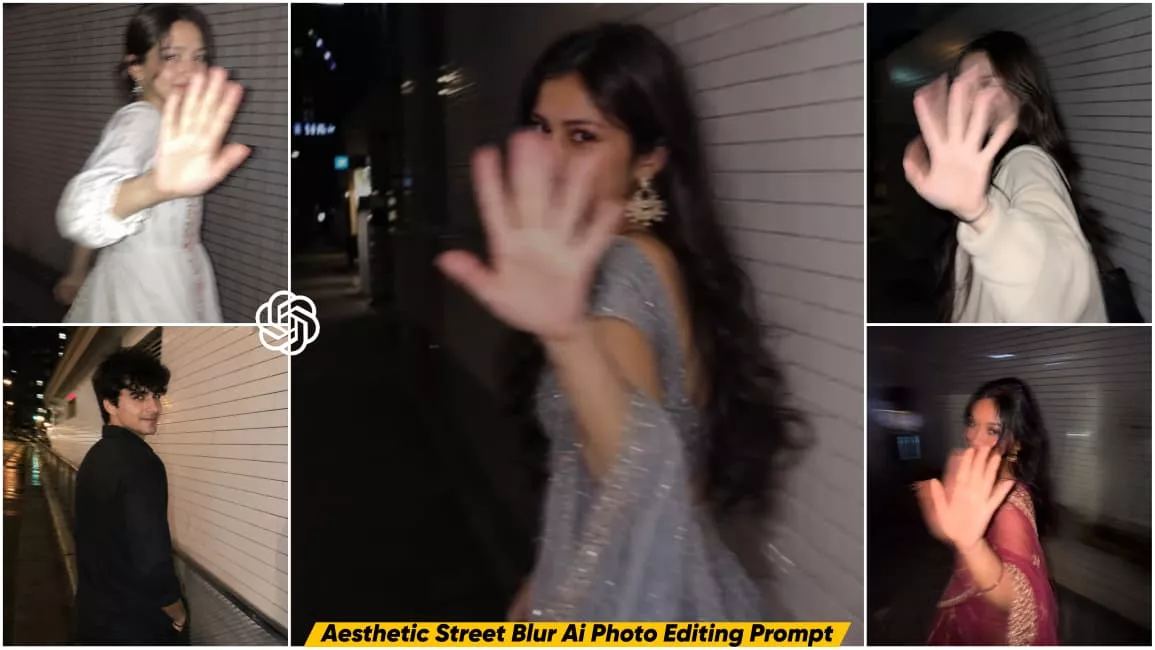
Night Street Blur Ai Photo Editing Prompt – If you use social media regularly, you’ve probably seen the latest viral Night Street Blur AI Photo Editing trend. People are transforming their normal selfies into stunning aesthetic night street photos using AI. The final images look so realistic that it’s hard to believe they were created with artificial intelligence. This editing trend has become extremely popular because anyone can create these aesthetic photos in just a few simple steps. If you don’t know how to make one, this article will guide you through the complete process. You’ll also get the trending AI prompts so you can create photos similar to the viral images you’ve seen online.
Details of Night Street Blur AI Photo Editing Prompt
Before creating this AI photo, let’s understand what makes this editing style so special. This AI editing creates a realistic aesthetic night street scene where the model is standing with both hands raised in front of the face, partially hiding it. The pose gives the image a stylish and trendy aesthetic look. If you follow the process correctly, the AI will replace the model with your own face using your reference image. The editing process is very simple. You only need to use the provided AI prompt, upload your clear face photo, and the AI will generate a realistic aesthetic night street image. In this article, you’ll also find different prompts for various aesthetic poses, making it easy to create the style you like. The final image includes a motion blur effect on the hands, making it look even more realistic.
Why Is This Photo Editing Going Viral?
This AI photo editing trend is becoming viral across social media because the generated images look incredibly realistic. Most people cannot even tell that the photos were created using AI. Another reason for its popularity is the unique aesthetic pose. In these images, the face is partially covered with the hands while a natural motion blur effect is applied, creating a cinematic look. The biggest advantage is that anyone can create these photos using a single AI prompt without any editing skills. That’s why so many people are creating and sharing these images online.
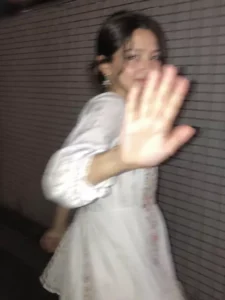
Ultra-realistic candid smartphone photograph, 9:16 vertical.Use the attached image only as a strong visual inspiration for general facial proportions and vibe, while ensuring the generated subject remains fully original, non-identifiable, and not a face copy.SceneNighttime on a quiet Tokyo city sidewalk beside a building with white ceramic tile walls.The subject is walking past the camera, partially side-on, captured mid-step in a rushed, accidental moment.Poses & Gestures (combined naturally)The subject reacts instinctively to being photographed: turning her head back mid-walk as if surprised,raising one hand close to the lens to partially block the camera, shy, restrained smile forming as she suppresses laughter, body angled in half-profile while continuing to walk forward, motion carries her slightly out of frame, imperfect framing.Expressions are subtle and spontaneous — embarrassed, playful, fleeting — never posed.Camera & MotionShot on a modern smartphone, handheld, rushed capture. Strong uncontrolled camera shake. Heavy directional motion blur across the raised hand, hair, and face. Facial features appear smeared and streaked by movement, faintly recognizable but distorted. Partial ghosting around the body. Imperfect framing, subject nearly leaving the frame.LightingFlash-only lighting fired mid-motion. Harsh flash highlights on skin and hand. Deep surrounding darkness.Uneven exposure, blown highlights, hard shadows typical of hurried night phone photography.BackgroundWhite ceramic tile wall stretches into streaked light bands due to motion blur. Street surroundings fade into darkness with minimal readable detail.MoodCandid, shy, slightly playful. Feels intrusive, raw, imperfect, and authentic - like a fleeting memory accidentally captured and never meant to be perfect.Image QualityExtremely noisy. Heavily blurred. Raw smartphone look. Not cinematic. Not editorial. Not polished.Negative Promptanime, illustration, painting, stylized, studio lighting, beauty lighting, soft portrait, sharp focus, clean face, perfect anatomy, smooth skin, fashion editorial, posed portrait, cinematic grading, film still, tripod shot, professional photography, identity match, face copy, real person replication.
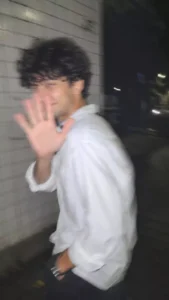
Ultra-realistic candid smartphone photograph, 9:16 vertical.Use the attached image only as a strong visual inspiration for general facial proportions and vibe, while ensuring the generated subject remains fully original, non-identifiable, and not a face copy.SceneNighttime on a quiet Tokyo city sidewalk beside a building with white ceramic tile walls. A young man is walking past the camera, partially side-on, captured mid-step in a rushed, accidental moment.Poses & GesturesThe young man reacts instinctively to being photographed: turning his head back mid-walk as if surprised, raising one hand close to the lens to partially block the camera, a shy, restrained smile forming as he suppresses laughter. His body remains angled in half-profile while continuing to walk forward, with motion carrying him slightly out of frame. Imperfect framing.ExpressionSubtle, spontaneous, embarrassed, playful, and fleeting—never posed.Camera & MotionShot on a modern smartphone, handheld, rushed capture. Strong uncontrolled camera shake. Heavy directional motion blur across the raised hand, hair, and face. Facial features appear smeared and streaked by movement, faintly recognizable but naturally distorted. Partial ghosting around the body. Subject nearly leaving the frame.LightingFlash-only lighting fired mid-motion. Harsh flash highlights on skin and hand. Deep surrounding darkness. Uneven exposure, blown highlights, and hard shadows typical of hurried night phone photography.BackgroundWhite ceramic tile wall stretches into streaked light bands due to motion blur. Street surroundings fade into darkness with minimal readable detail.MoodCandid, shy, slightly playful. Feels intrusive, raw, imperfect, and authentic—like a fleeting memory accidentally captured and never meant to be perfect.Image QualityExtremely noisy. Heavily blurred. Raw smartphone look. Not cinematic. Not editorial. Not polished.Negative Promptanime, illustration, painting, stylized, studio lighting, beauty lighting, soft portrait, sharp focus, clean face, perfect anatomy, smooth skin, fashion editorial, posed portrait, cinematic grading, film still, tripod shot, professional photography, identity match, face copy, real person replication.
Generate A cinematic color photograph of a young woman at night in the city, shot with a long exposure and intentional motion blur. She is in the foreground, slightly off-center, turning her head mid-motion so that her long hair flicks across the frame in soft, ghostly strands. Her facial features are partially blurred but still recognizable—expressive brows, full lips, and a graceful jawline—giving her an ethereal, dreamlike appearance. The background is a soft bokeh of colorful city lights and building silhouettes, stretched by the movement and slow shutter speed into luminous streaks of warm gold, amber, white, blue, and red, creating a sense of speed and the passage of time. Soft highlights illuminate her face naturally while preserving realistic skin tones. Rich cinematic contrast, subtle film grain, shallow depth of field, abstract light trails, dynamic hair movement, and a soft-focus portrait. The overall mood is nostalgic, melancholic, and poetic, like a fleeting memory or a scene from an arthouse film. Shot on 35mm color film, ultra-realistic, natural lighting, authentic facial features, atmospheric urban night photography.
How to Create This AI Image?
Creating this viral AI photo is very easy. First, copy any image prompt from this article based on the style you want to create. After that, open the ChatGPT application or visit its official website and log in to your account. Paste the copied prompt into ChatGPT. Then click on the Plus (+) icon and upload a clear face photo from your gallery as a reference image. This helps the AI match your facial features correctly. Finally, click the Generate button and wait for a few moments. The AI will create your realistic aesthetic night street photo.
Conclusion
I hope this article helps you create your own viral Aesthetic Night Street Blur AI photo easily. In this guide, you learned the complete process along with the AI prompts needed to generate these trending images. Read the steps carefully, choose your favorite prompt, and create your own realistic aesthetic photo using ChatGPT or Google Gemini. If you enjoyed this article, you can also share it with others.